The web is part of the work
A coding assistant that cannot use a browser is missing half the context. Your bug is visible in staging. Your docs are on a website. Your analytics live in a dashboard. Your competitor's pricing page changed overnight. Your OAuth flow only fails after the third redirect. None of that is fully represented in the repo.
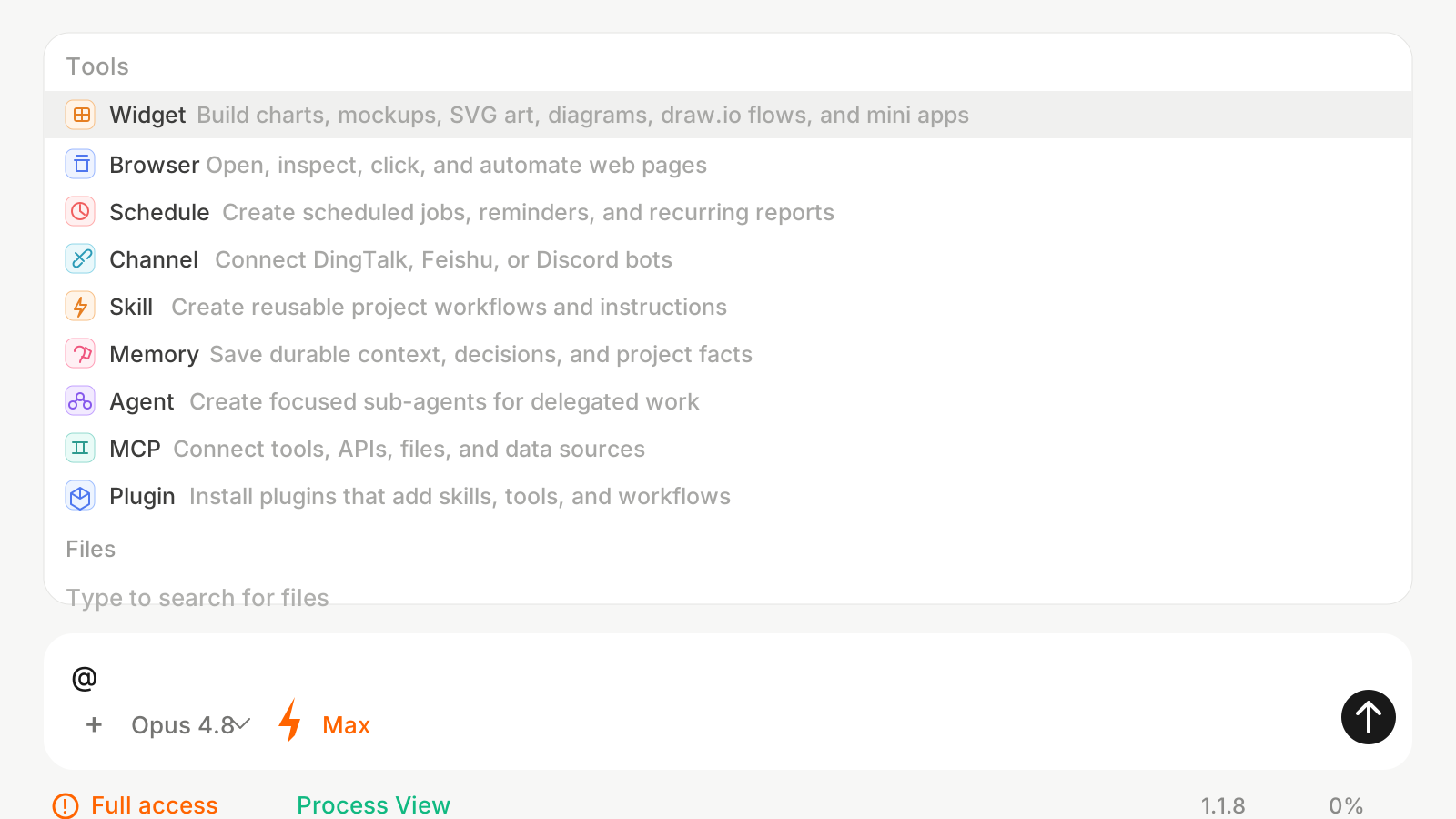
The Browser tool gives Onevium a real web surface. From the @ menu, you can ask it to open a page, inspect content, click through a flow, fill a form, read visible UI, capture screenshots, and report what happened. The assistant does not have to pretend from memory. It can look.
That changes the tone of a task. Instead of "guess why the signup page is broken," you can say "open staging, try signup with this test email, watch the console, and tell me where the flow breaks."
Browser is for evidence, not vibes
The most useful browser workflows produce evidence. A screenshot. A console error. A list of broken links. A comparison table. A reproduction path. A before-and-after check after a code change.
This is why Browser sits in the same tool menu as files, memory, and scheduled work. A good AI workflow does not stop at generating code. It verifies the change in the environment where users will experience it.
- QA smoke tests. "Open the onboarding flow, create a test workspace, and screenshot any broken state."
- Design review. "Compare the pricing page at mobile and desktop widths and point out spacing issues."
- Competitive research. "Open these three websites, summarize their onboarding promises, and extract their pricing tiers."
- Docs audit. "Check the docs navigation, open every top-level link, and report 404s or stale copy."
- Dashboard checks. "Open the analytics dashboard and summarize whether signups, errors, or latency changed today."
Why this is different from pasting a URL
Pasting a URL into a normal chat tool usually gives the model static text. Browser automation gives the model the page as an interactive environment. It can click, scroll, switch tabs, test forms, and inspect the state after an action.
That distinction matters for modern products. Many important states do not exist in page source. They appear after login, after a button click, after a modal opens, after a network request fails, or after a dashboard filter changes. Browser is built for those states.
For users, the mental model is simple: if you would open Chrome to check it yourself, you can ask Onevium to check it with you.
How Browser composes with the rest of Onevium
Browser becomes more useful when it is not alone. Pair it with Files and the assistant can trace a visible bug back into the component that rendered it. Pair it with Widget and the assistant can turn a competitor scan into a comparison chart. Pair it with Schedule and you can run a recurring check. Pair it with Channel and the result can land in the team's chat.
The workflow looks like this: Browser gathers evidence, Files explain the implementation, the model proposes a fix, and Browser verifies the result. That loop is much closer to how an engineer actually works than a one-shot code suggestion.
The value is not that the AI can click buttons. The value is that clicking buttons becomes part of an end-to-end reasoning loop.
A practical prompt to start with
Try this on a real project: "Use @Browser to open our staging site, run the signup flow on desktop and mobile widths, record any console errors or visual glitches, then use @Files to find the likely component responsible. Do not edit anything yet; give me a short diagnosis with screenshots or exact reproduction steps."
That prompt gives the assistant a bounded job, asks for evidence before action, and keeps you in control. Once the diagnosis is solid, you can ask it to implement the fix and verify again.